

The challenge
What we delivered
A workshop day is not a list — it is seven columns
Seven places work at once: four service bays, tyre fitting, paintless dent repair and the wash. Bookings lived in chat threads and in the service advisor’s head — who is on which bay, how much longer it will take, whether a half-hour job can be squeezed in.
We built a booking journal where the whole day is visible at once — one column per working place — and which opens on a phone right on the shop floor.

The month on the left: the dots under a date show how many bookings it holds. On the right, the day laid out by bay — multi-day jobs run as one continuous band.
A grid shaped like the workshop
An ordinary calendar shows time. A workshop needs something else: which place is taken. So the day is split into columns — “Service 1” to “Service 4”, tyre fitting, dent repair, wash — and a booking always sits in its own. A free slot is something you see, not something you calculate.
Jobs that run for several days are not chopped into pieces: a car being reassembled from 22 to 26 September holds its bay as one continuous band, which reads instantly as “nothing else goes here”.
Every booking, searched the way people remember them
A service advisor rarely remembers a surname — they remember the car and the job. So search runs over make, job description and place: “Mazda”, “anti-roll bar links”, “wash”. The list shows the time, the bay, what is being done and who created the booking.

Enquiries arrive on their own
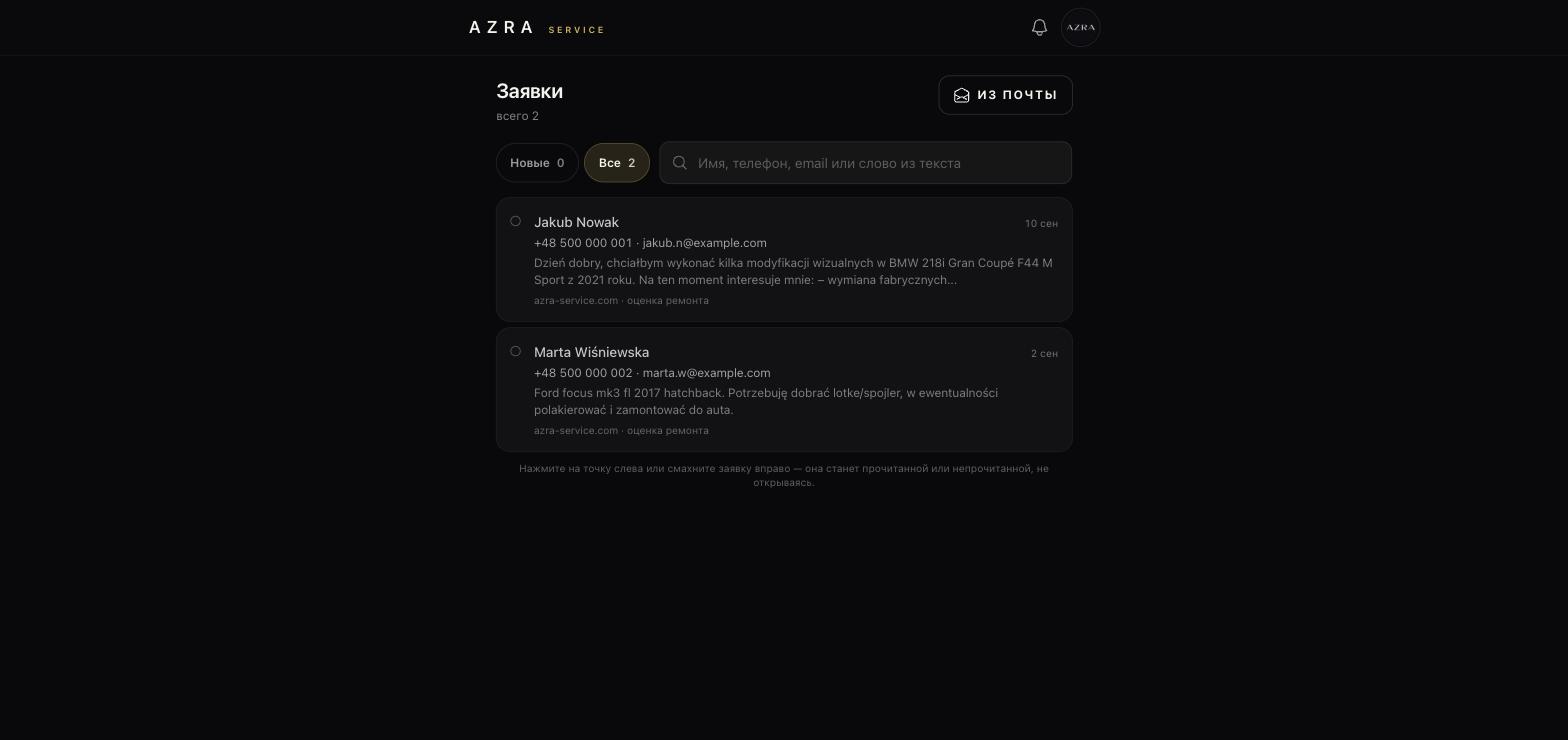
Messages from the workshop’s website landed in a shared mailbox and got lost there. Now an enquiry arrives in the journal: name, phone, email, the text of the request and a tag saying where it came from — “azra-service.com · repair estimate”.
There are two ways to mark it read: tap the dot on the left, or swipe the enquiry to the right. The second one exists because this screen is used one-handed on a phone, without stepping away from the car.
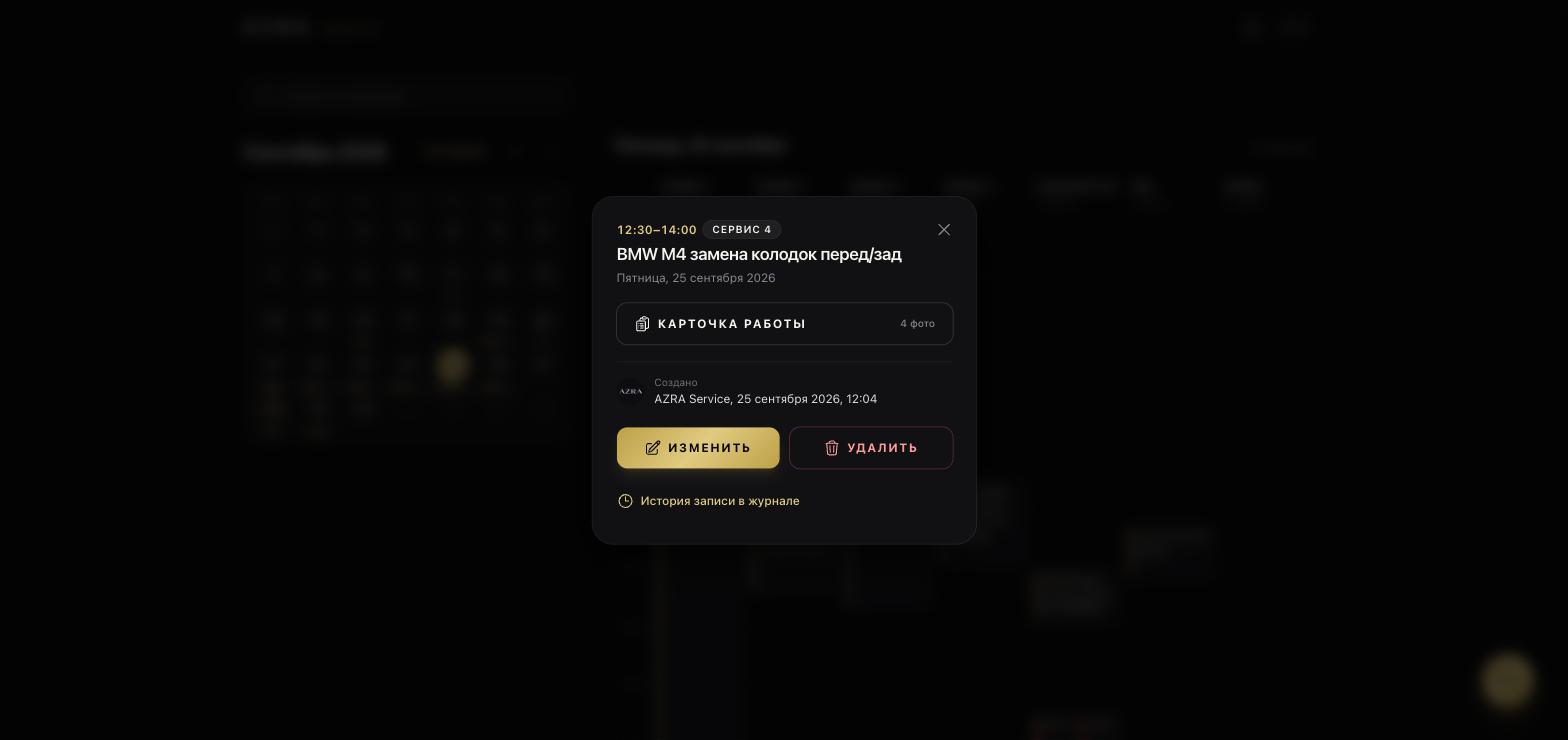
The booking card: short and to the point
Tapping a booking opens its card: the time, the bay, the job, who created it and when. From there two routes — into the job card, where the checklist and the photos live, and into the booking’s history, where every change is visible.
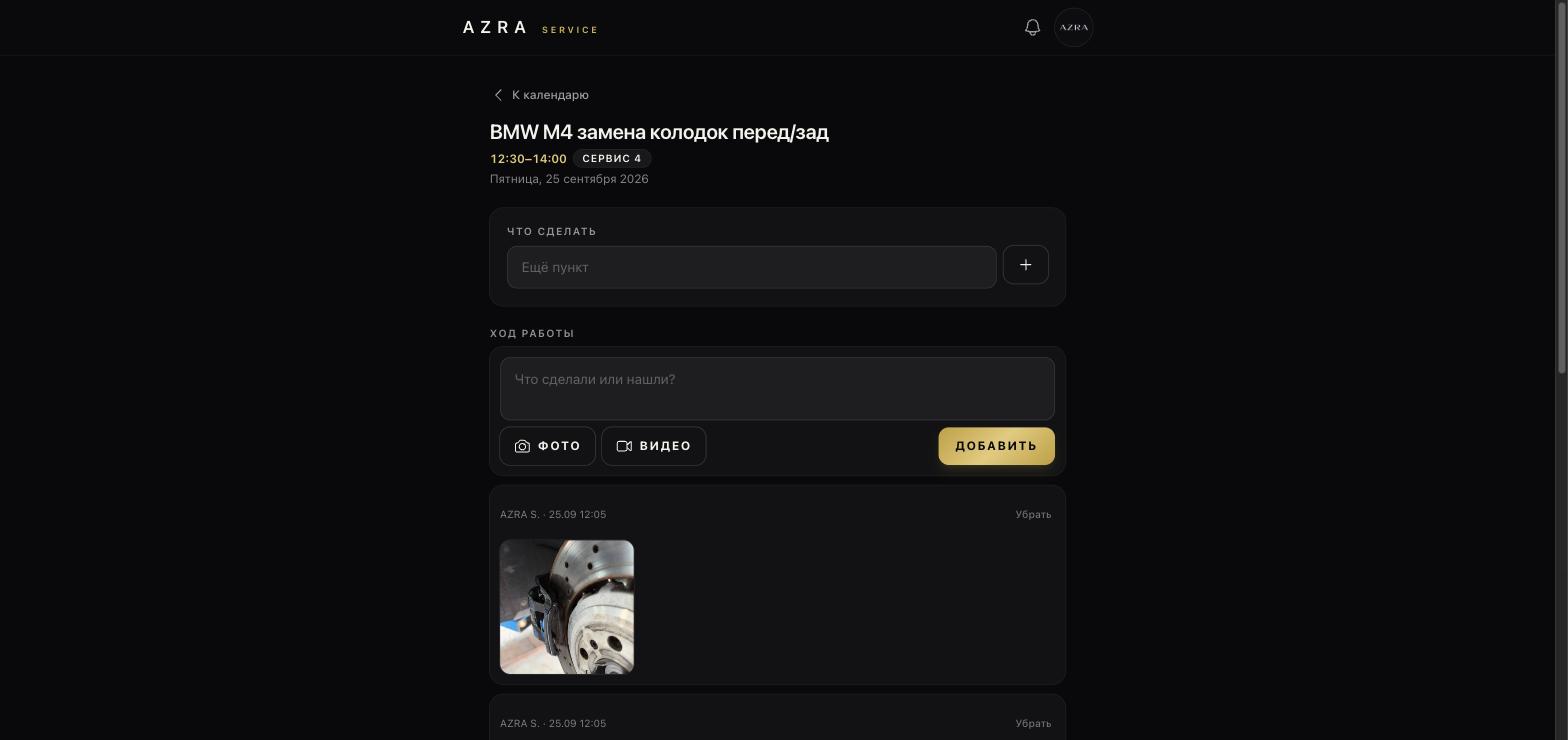
What to do, and what was done
The job card is split in two. At the top, “What to do” — a checklist the advisor fills in and the mechanic ticks off. Below it, “Work log” — a feed where photos and video go up straight from a phone, with a caption: what was found, what was replaced, how it looked before and after.
That feed settles the old argument about whether something had been like this already — a dated photo of a brake disc answers faster than any conversation.
How it was built
Under the hood
The application
Laravel with server-side rendering: the page arrives ready, with no wait for scripts. The dark theme is not a fashion but a requirement — a phone screen under the shop lights and in the gloom under a lift.
Phone as the main screen
Swipes where they feel natural, large tap targets, the job card one step away. Photos and video upload straight from the camera.
Email and the log
Website messages are received and parsed into enquiries. A separate activity log records who created a booking, who moved it, who deleted it and when.
The outcome
One screen showing the workshop’s whole day by working place, and one place where enquiries, bookings and photo reports for every car live together. The advisor no longer keeps the schedule in their head, the mechanic no longer asks what the job is, and the owner no longer has to work out who changed a booking and when.
It runs on a phone on the shop floor, not only on the monitor at reception — which is exactly why it gets used.


